



















What does a headless CMS development agency do?
A headless CMS development agency separates your content from your website: editors write in a CMS such as Sanity or Payload, and a coded front end, usually Next.js, renders it. The agency's real job is the part in between: deciding how content is structured, how editors preview it, and how pages are assembled from it.
Most teams that search for headless website development already have a site. It's on WordPress and the plugin stack has become a liability, or it's on Webflow and the CMS or plan limits now get in the way. If you haven't decided on code yet, our plain-English guide to what a headless CMS is is a better first read than this page.
Deliverable | What it covers |
|---|---|
Content audit | What you have, what to keep, merge or drop before anything moves |
Content model | Content types, fields, references and reusable page blocks |
Editor setup | Studio or admin layout, field help text, roles and live preview |
Copy and design | Rewritten key pages and custom Figma designs for each template |
Next.js front end | Components that render CMS blocks, with static or server rendering |
Content migration | Import scripts or manual moves, scoped on the intro call |
SEO safety | Redirect map, metadata, sitemaps and canonical checks |
Handoff | Editor walkthrough, docs and a codebase your engineers can extend |
Why are teams leaving WordPress and Webflow for a headless CMS?
Teams usually move for one of three reasons: cost, editing pain or limits on what the site can do. The research behind our migration guides found pricing is the strongest trigger right now, including Webflow's May 2026 plan changes, which merged its CMS and Business site plans into one Premium plan. Plans change, so check Webflow's current plan page before you decide.
Coming from | Typical reason to leave | What usually changes |
|---|---|---|
WordPress | Plugin upkeep, security patches, slow themes | Posts and pages become typed content, plugins become code |
Webflow | Plan and CMS limits, relational content, API needs | Collections map to content types, designs are rebuilt in code |
HubSpot CMS | Total cost of the CMS tier | Forms and CRM stay in HubSpot, pages move to the new stack |
Contentful | Tier jumps as content types grow | Content model moves to Sanity or Payload, front end may stay |
Each move is a manual rebuild of the front end; there's no converter that turns a Webflow or WordPress theme into Next.js components. Our guides to going headless from WordPress and moving off the Webflow CMS cover the trade-offs for each starting point.
Sanity or Payload: which headless CMS do we build on?
We pick the CMS based on who edits the site and where you want content to live, and we're comfortable on both. Sanity suits teams that want a hosted editing studio with real-time collaboration and nothing to run themselves. Payload suits teams that want content in their own database, inside the same Next.js app as the site, with no separate CMS vendor.
If your engineers already run a database and want one codebase, we lean Payload; we run our own site on Next.js and Payload on Cloudflare Workers, so that recommendation comes from daily use. If marketing wants the most polished editor and doesn't want to think about hosting, we lean Sanity. Our Sanity integration page and Payload integration page go deeper on each setup, and Sanity vs Payload compares them head to head.
Why do most headless sites fail at the editing layer?
Most headless CMS complaints aren't about the CMS brand at all; they're about the editing experience. Editors get a wall of unlabeled fields, no preview and no way to build a page without asking an engineer, so the old site starts to look easier. We treat the editor as a product with its own design.
- Page blocks, not page templates: marketing assembles a new landing page from hero, proof, pricing and FAQ blocks that already match the design.
- Live preview: editors see the real page update as they type, before anything is published.
- Help text on every field: character guidance for titles, alt text prompts and examples of good input.
- Sensible roles: contributors draft, editors publish, and only admins change the schema.
How does a headless CMS project run with us?
Intro call
A free 30-minute call about your current site, who edits it, what's breaking and what the new site must connect to.
Content audit and copy
We review existing pages and posts, decide what moves, and rewrite the key pages before design starts.
Content model
We define content types and page blocks in a shared doc, so you approve the structure before any schema is written.
Design in Figma
Each template and block designed at desktop and mobile sizes, mapped one-to-one to CMS blocks.
Build and editor setup
We build the Next.js front end and the CMS schema together, with live preview and roles configured.
Migrate and test
Content moves into the new model, then we check redirects, metadata, sitemaps and Core Web Vitals.
Launch and train
We launch on hosting you own, walk your editors through the CMS and hand engineering the docs.
What does headless CMS development cost?
Headless builds are usually priced higher than visual-builder sites because they include content modeling and a coded front end. In the migration research behind our guides, agencies quoted £13,000 to £30,000 and six to twelve weeks for a WordPress to headless Next.js move. These are typical ranges we see quoted, and they vary widely with page count and content volume.
- Typical quoted range for WordPress to headless Next.js
- £13k–£30k
- Designify website package, up to 6 pages
- $8,000
- Each extra page
- +$500
Our website package is $8,000, fixed, for up to six pages with copy, custom design, a Next.js build, the CMS setup and animation. Migration work is scoped on the intro call, and we include redirects and SEO checks in any migration we take on. CMS licence and hosting costs sit on top; our headless CMS cost guide explains them.
When is a headless CMS the wrong choice?
A headless CMS is overkill when your site is a handful of pages, nobody on your team will own a codebase, and the main editor wants to move things around visually. In that case a visual builder is cheaper to run and faster to change, and we'll say so on the call.
- Pick Framer when design speed and visual editing matter most. See our Framer agency service.
- Pick Webflow when you want a mature visual CMS without code. See our Webflow development service.
- Pick headless when you need structured, reusable content, product data on the site, many locales or full ownership of the stack.
Our honest take on when a headless CMS is overkill lists the warning signs in more detail.
Which sites have we designed and built?
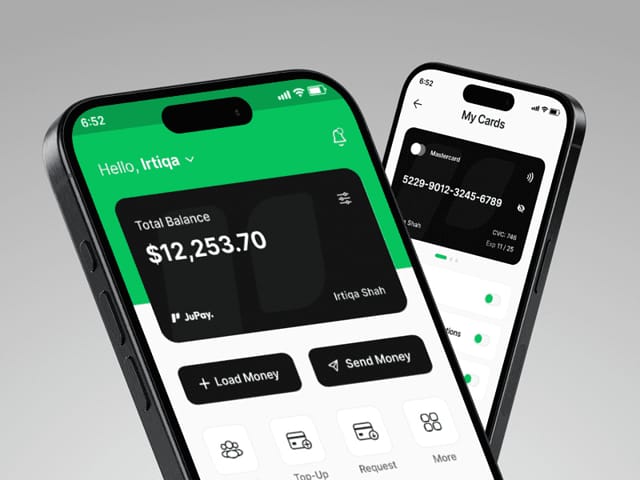
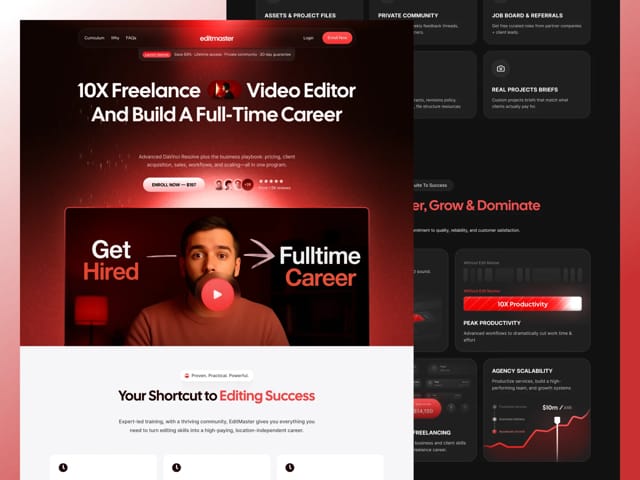
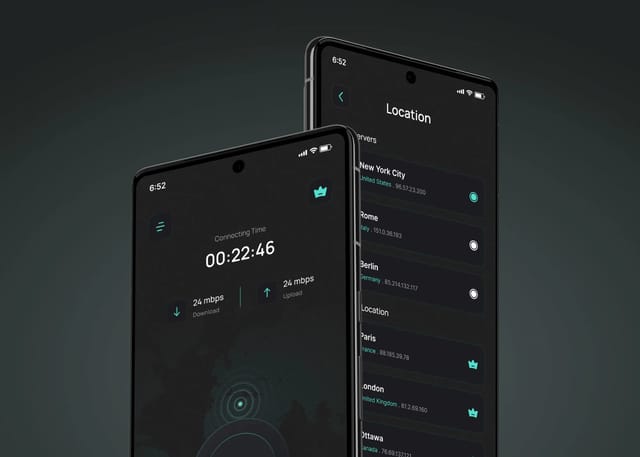
We've delivered 60+ projects across 14+ industries for startups that have raised $300M+ in total. We designed the mobile app for JuPay, a fintech payments product, redesigned and built the course sales funnel for EditMaster, an education company, and created the brand identity and app design for Wirefox VPN. Our own site runs on the stack this page describes: Next.js with Payload, deployed to Cloudflare Workers.
What happens on the intro call?
In 30 minutes we'll look at your current site and CMS, ask who edits content and how often, and check what the new site has to integrate with. Then we'll recommend Sanity, Payload or staying on a visual builder. If headless fits, you get a written fixed scope and price. If you want to test us first, the $1,000 trial week gives you one week of design and development on a real piece of the project.